Every PMO leader has heard it: “no-code,” “low-code,” “easy to configure” pitched by every vendor at some point. So, what actually separates a configuration promise that holds up from one that quietly turns into a year of custom code and workarounds?
Why implementations stall before the software is the problem
When implementations drag on, the technology is rarely the first thing to blame. More often, the groundwork for change was never laid. Before any configuration starts, an organization needs clear change management strategy: communication, senior management buy-in, and an honest acknowledgment that ways of working are about to change, and that there will be some resistance along the way. This is best achieved through a dedicated business change function or a change partner.
Skipping that step has a knock-on effect on configuration itself. Stakeholder workshops and early change activity are where many configuration requirements first come to light. Without them, those requirements tend to surface close to go-live, when changes are harder and more disruptive to make. The right order is to ask, “how does the organization get ready for change?” first and then bring in the platform to help enable it.
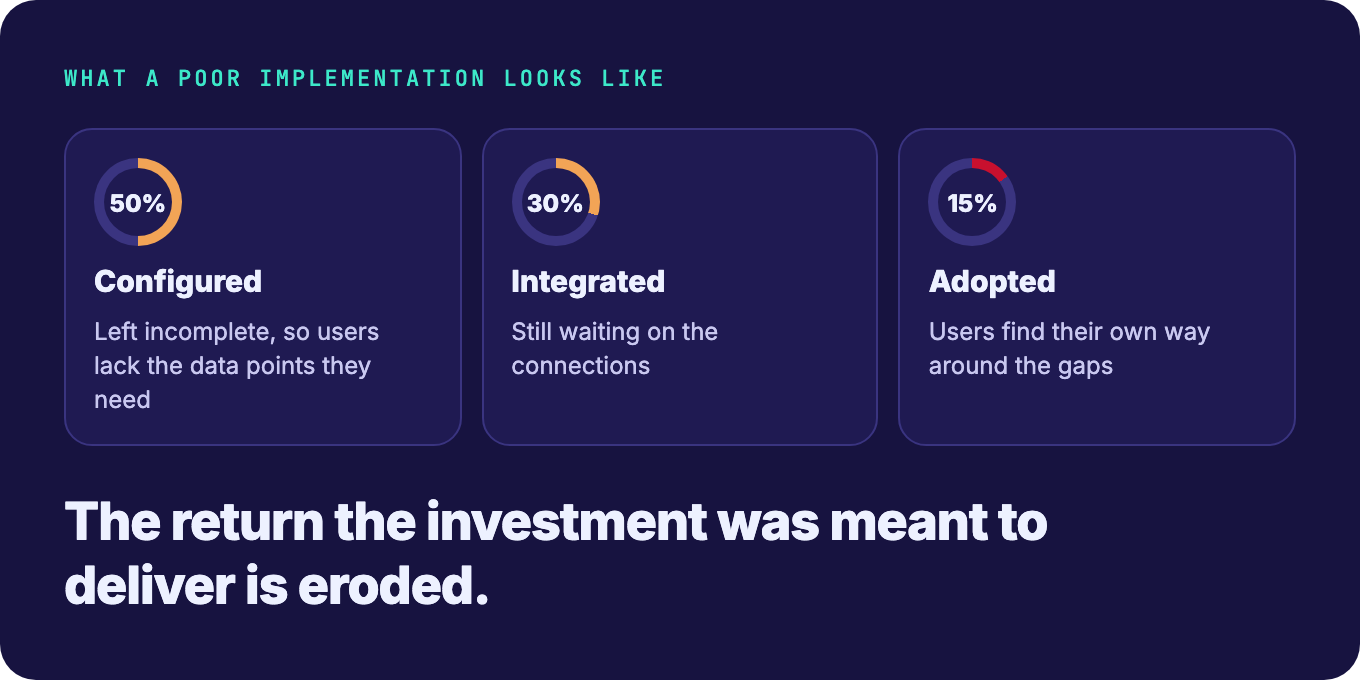
The cost of getting this wrong is significant. An application delivers its value once it is fully configured, integrated and adopted. When configuration is left incomplete, users don’t get the data points they need, and they find their own way around the gaps. Users will always go to what is easy for them. That usually means drifting back to offline spreadsheets or using the system in ways it was never designed for, and in the process eroding much of the return the investment was meant to deliver.
What’s driving the demand for faster configuration
Much of the pressure comes from the top. Senior leaders now expect to drill into live portfolio data rather than static reports on a slide, and every answer tends to raise a new question. Sometimes that question reveals a metric the organization has never captured before.
Historically, that meant raising a request with IT, or finding whoever was the resident MS Excel expert, to build new fields and formulas. Increasingly, project management offices (PMOs) expect to make those changes themselves, in a single application, with the change applied immediately across current and future projects. That expectation has shaped how newer platforms, including Cora’s antaivo, approach configuration.
An example from a Cora customer is instructive: where a C-level stakeholder needed new metrics ahead of a board or program review. The metrics hadn’t been missed; they simply weren’t in scope until that moment. In a typical vendor-led model, agreeing scope and rates, building, testing and releasing the change could have taken weeks, well past the deadline.
Because the customer’s administrator could make the change themselves, it was done within an afternoon. The time saved went where it mattered most: telling the project community about the new fields so the data was ready for the board pack.
Beyond the “no-code” label: what intuitive really means
Not everyone configuring enterprise software starts from the same place. Some administrators have 10 or more years of experience and understand the implications of even the smallest change; others are completely new to managing enterprise-wide applications. That makes the label less important than the experience itself.
Being intuitive comes down to expectation: If you expect something to be there, it should be there. And if it is, that’s intuitive. When it isn’t, people lose time hunting for things, frustration creeps in, and adoption starts to drop, which in turn leads to poorer data going into the platform.
This is also why ease of configuration hasn’t been replaced by conversations about total cost of ownership or speed to value. They are part of the same picture. Configuration that is easy gets used and kept up to date; configuration that isn’t creates friction that eventually shows up as cost elsewhere in the business.
Who should own configuration?
There is no single answer, because it depends on how an organization is structured. Some run a global deployment with common standards and local variations, others are fully standardized, and others differ considerably between business units.
What stays constant is that configuration can’t sit with IT alone. IT typically owns the application, integrations and questions of data sovereignty, but won’t always know why a field or process matters to the people using it. The business must have a voice at the table.
In practice, that means putting real capability in the hands of PMO administrators. Rather than routing every small change back to the vendor, antaivo's approach is centered on self-sufficiency, enabling customers to make and manage changes independently. Through a train-the-trainer model, super users gain the expertise to support adoption, administration, and continuous improvement across the organization.
With antaivo the ability to embed new processes is very quick and easy to create inside the platform. PMO administrators don’t want to make a small change and have to go back to the vendors.
That covers everyday needs such as branding, dropdown options for regions, markets or products, and showing or hiding fields, pages, reports and views by business unit, so a CapEx project doesn’t have to display R&D-specific details.
Self-sufficiency also needs to account for change over time. When an organization introduces a new process, such as additional stage gates or regulatory sign-off, it may not apply to multi-year projects already running under an agreed process. Versioning and baselining let older projects continue as agreed while new projects adopt the new process. This removes the dependency, cost and time of reengaging the vendor. Cora empowers its customers to make the changes when they need to.
AI and the problem of inherited systems
Portfolio platforms stay in a business for years, and the person configuring the system today is often not the one who set it up. At Cora, we hear the same phrases again and again when organizations are asked about their existing spreadsheets and macros: “We don’t know,” “We don’t use that anymore,” “That was configured by someone who’s left.”
This is where artificial intelligence (AI) is starting to change configuration in a practical way. Beyond helping with implementation itself, from gathering use cases to communicating changes to stakeholders, AI can explain existing configuration in plain language: what a formula does, why it was set up that way, and which reports rely on it.
The effect is like having “someone who was there from day one” sitting alongside whoever takes over the system next. In antaivo, Cora’s new autonomous portfolio intelligence platform, that AI explanation is built on top of every formula; it becomes the corporate memory for all configuration changes.
Why this matters beyond the PMO
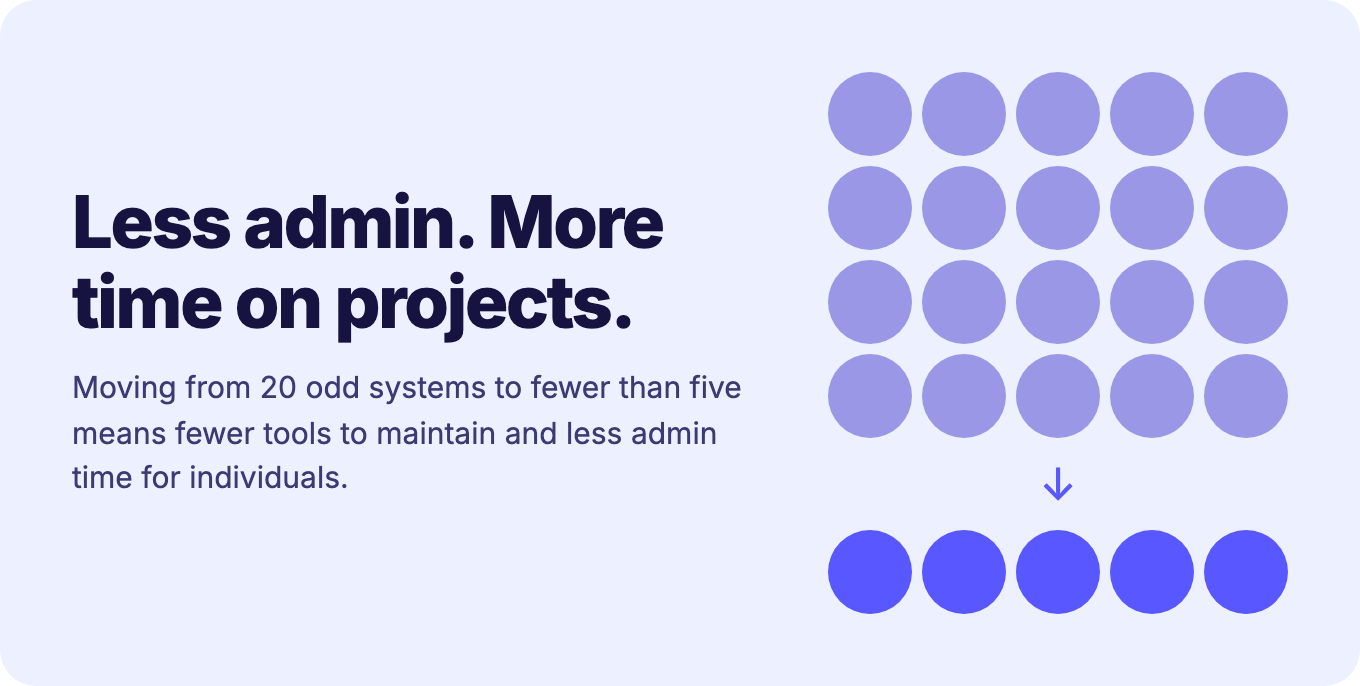
For board members without a PMO background, implementation complexity can sound like a technical detail. In reality, it defines the scope of change, and the benefits can reach well beyond one application. Cora has seen organizations reduce 20 odd systems down to less than five by establishing a single source of truth for portfolio information. The result is fewer tools to maintain, less admin time for individuals, and more time spent on delivering projects.
From configuration to autonomous portfolio intelligence
Ease of configuration is ultimately a foundation for something bigger. Traditional project portfolio management (PPM) has focused on gathering project information from wherever it lives and trying to make sense of it. The emerging idea of autonomous portfolio intelligence builds on stable, well-configured data to look forward: where to focus next, and how to optimize what is already under way. It could be summed up as “the ability to turn insights into foresights.”
That shift depends on removing unnecessary admin. Reporting itself shouldn’t necessarily be a dedicated function or part of the job description of project managers, but rather it’s a good byproduct of good project execution.
How antaivo meets these new demands
antaivo, Cora’s new autonomous portfolio intelligence platform, was built with these expectations in mind:
Configuration where you work. Smart Form Studio offers drag-and-drop placement, resizing and layout of fields, and admins can right-click a field to edit it directly rather than going into a separate admin section. Essentially “pick up and play.”
Guidance against duplication. The system recommends fields that already exist in the platform, including ones created by people who have since left, so admins don’t rebuild what’s already there.
AI in the configurator. A formula AI agent explains what existing formulas do and builds new ones from plain-language requests, while taivo, antaivo’s AI assistant, helps new system owners understand what was configured and why.
Self-service for ad hoc requests. PMO administrators can add fields, with guidance notes for users, and apply them live across current and future projects.
Process versioning. Admins can see which projects are running which process and publish new processes to current or future projects as needed.
Portfolio-level insight. Roll-up and aggregation across in-flight and pipeline projects, with AI helping surface the themes that need attention and decisions pushed back down with clear ownership.
For PMO leaders who have heard “no-code” before and been disappointed, the advice is simple: ask to see it. Building a field from nothing using drag-and-drop, with no code behind it, is the clearest test of whether configuration is as easy as promised.